

01 · Today's move
Not a feed of charts.One sentence and a reason.
Dashboards usually show you everything and leave the thinking to you. This one does the thinking first: a single move for the day, and why it's the one.

Step 1 of 4
Open the Dashboard. Today's move is at the top — one thing to do, with a one-line why.
Web: Dashboard.
02 · Capture
Get it out of your head.Jarvis files it.
A thought you have to file is a thought you'll lose. Capture takes whatever you type or say and works out where it belongs.
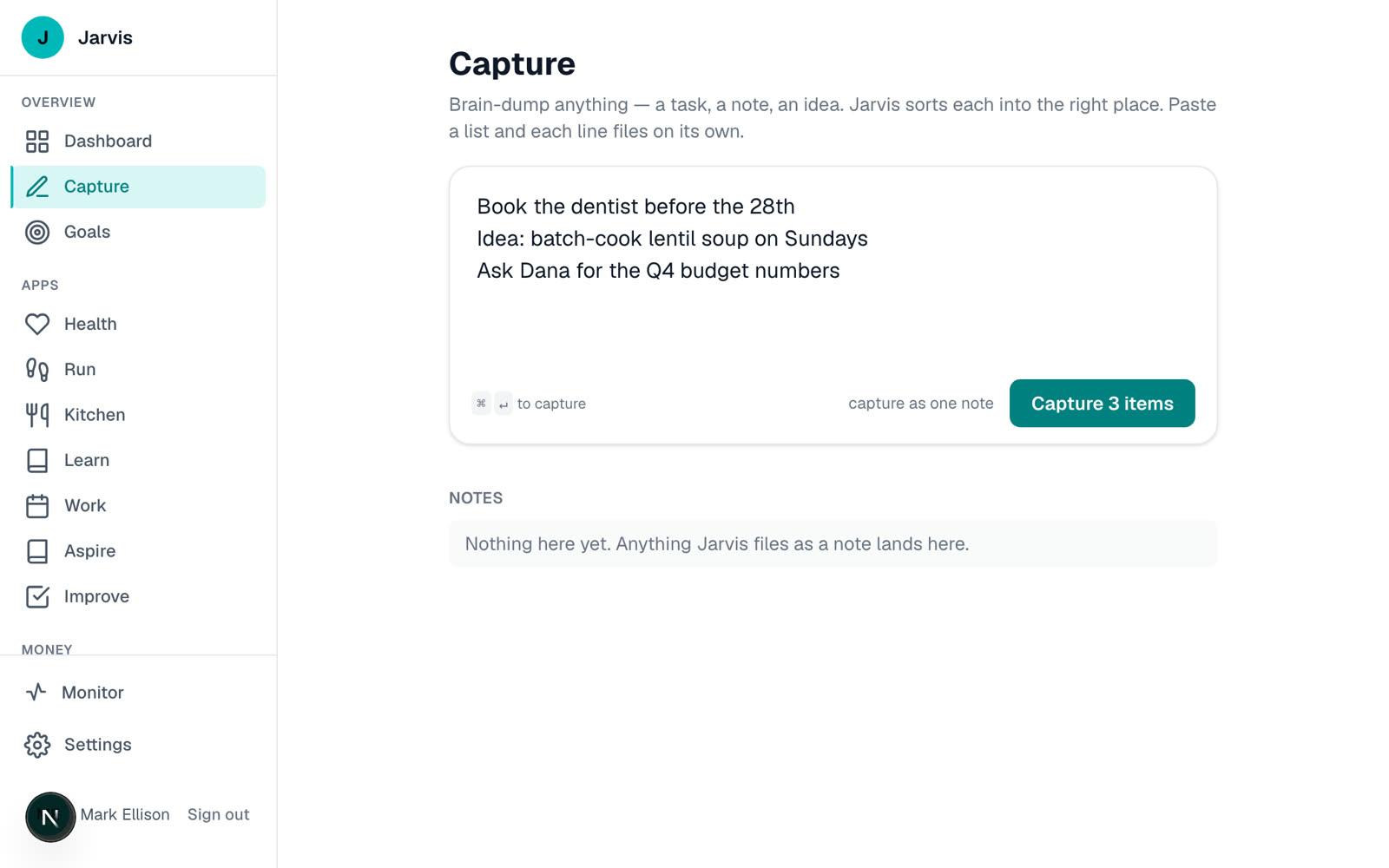
Web: the capture button on the Dashboard, or Capture in the sidebar.
03 · Weekly review
Fifteen minutes on Sunday.A clear head on Monday.
The week goes better when it starts empty-handed. The Weekly Review walks you through clearing the decks, one step at a time, so you don't have to remember how.
Step 1 of 4
On the Dashboard, open Weekly Review from the Rituals card.
Web: Dashboard → Rituals → Weekly Review.
In real use
Not a mock-up.
- to start the day with a Must and three priorities
- ~3 min
- to close it and set up tomorrow
- ~5 min
- for the weekly review
- ~15 min
Times are the app's own estimates.
Access today
Who can use it right now.
Family & Friends only
The Dashboard is switched on account by account, by hand, for family and friends.
- The brief is only as good as what feeds it. With one app in use, it has little to say.
- The full brief is written once a day. Before it arrives, the Dashboard shows a simpler read of your day.
- Capture and the brief use AI, with a daily limit per account.
- Web only — add it to your phone's home screen to use it like an app.
Better together
One account. Each app knows what the others know.
Jarvis Cadence
Start Day and End Day launch from the Dashboard, and your priorities drive the brief.
See how it works →Jarvis Health
Recovery and sleep from Health shape what the brief suggests.
See how it works →Jarvis Invest
The names that need a decision this week come from your trade grades.
See how it works →Questions
A few things you might wonder.
Where does the brief come from?
From what you already keep in Jarvis — your priorities, habits, health numbers and money. The more of the apps you use, the more it has to go on.
What if I only use one or two of the apps?
It works with what's there. The brief simply draws on fewer things.
Can I disagree with a suggestion?
Yes. Dismiss it, and say why if you like. That's how the suggestions get more useful.
Is the morning plan here too?
Yes. Start Day and End Day launch from the Dashboard. They're covered in the Cadence guide.
Is there an iPhone app for the Dashboard?
Not a separate one. Add Jarvis to your home screen from your phone's browser and it opens like an app.
What does it cost?
Nothing yet. Jarvis is in private use while it's being built, and no pricing has been set.
What happens to my data?
It's yours. It isn't sold, isn't shared for advertising and isn't used to train AI. It's stored encrypted, and only your own account can read it. Read the privacy page.
Can I get my data out, or delete it?
Yes. On the web, Settings → Your data has Export my data and Delete my account. A deleted account locks straight away and is erased within 30 days.